2018-01-21 21:47
ចង់ប្តូរការងារ ឬ កំពុងស្វែងរកការងារ ផ្វើសារឥឡូវនេះ
សំនួរឬអត្ថបទទាក់ទង
សំនួរផ្សេងទៀត
អត្ថបទណែនាំ
How Digital Verification Solutions Are Simplifying Business Operations
ដោយ : ketki@zoop.energy 16 days ago
As businesses move towards digital operations, verifying customer identities and processing documents efficiently hav...
Planning a Diwali 2026 Road Trip? Check These Things Before You Go
ដោយ : marketing@mymotor.in 19 days ago
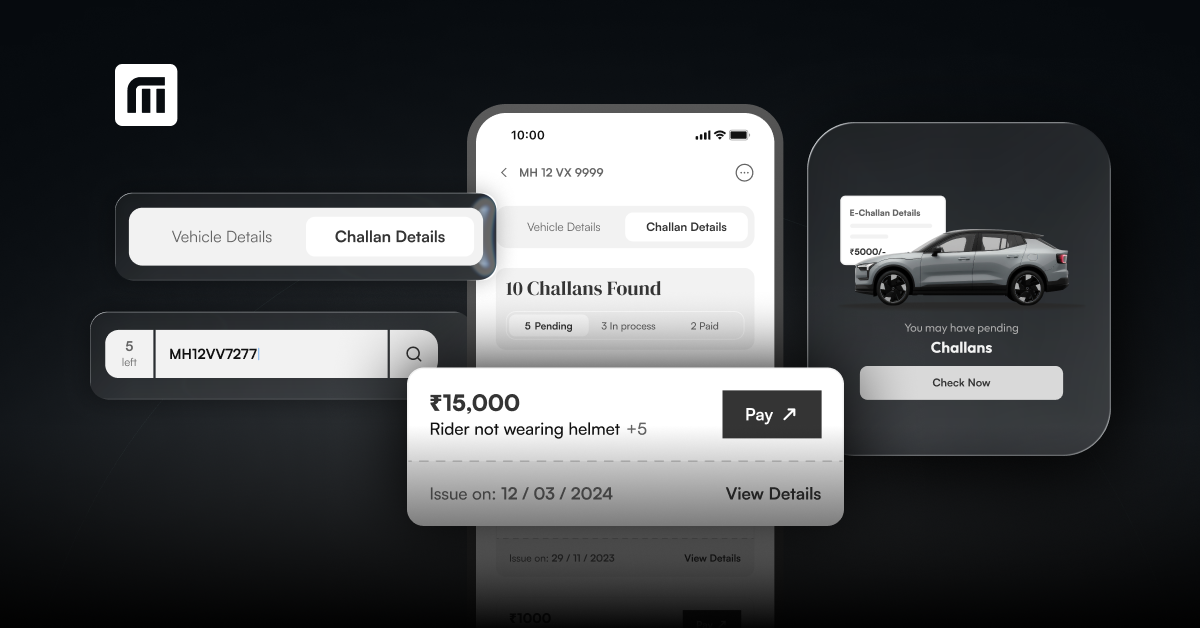
Here's what to do to get you prepared for your Diwali 2026 road trip. The checklist below will help you do a challan ...
Buying a Used Car Before Diwali? Unpaid Tolls Can Now Block Your NOC
ដោយ : ketki@zoop.energy 19 days ago
Challan checking before you buy a used car is becoming increasingly important as they could affect your NOC for not c...
Rajasthan Travel Guide: Where to Go, What to Eat and What I’d Skip
ដោយ : ketki@zoop.energy 22 days ago
I came back with 400 pictures, less money in my wallet and a firm belief that this is the best road trip in India. Be...
Is the Tesla Flying Car Legal in India? What the Rules Say About Road-Legal Vehicles
ដោយ : ketki@zoop.energy 1 month ago
I watched the Tesla Roadster fly three times before I stopped grinning. A car left a ramp, flipped in mid-air and lan...
How to Verify AI Answers About Challan Checking and RC Details Before You Act on Them
ដោយ : marketing@mymotor.in 1 month ago
Challan checking is now something many drivers try by asking an AI assistant, but an online challan check, an e chall...
Challan Check Rajasthan: What My Neighbour’s Scooter Taught Me
Buying a second-hand scooter or car in Rajasthan? Or not sure if your own vehicle has a pending fine? A quick challan...
Echallan Rajasthan: How to Check Your Challan Online, and Why EV Owners Need To
If you drive anywhere in Rajasthan, from Jaipur's busy junctions to the highways around Jodhpur and Udaipur, a traffi...
អត្តបទបន្ថែមទៀត
វិញ្ញាសាសិស្សពូកែថ្នាក់ទី៩ ផ្នែកអក្សរសិល្ប៍ រូបវិទ្យា និងគណិតវិទ្យា (ប្រឡង ០១.មេសា.២០១១) (វប្បធម៌ទូទៅ)
ដោយ : Khmer Literature 8 years ago
វិញ្ញាសាសិស្សពូកែថ្នាក់ទី៩
វិញ្ញាសាសិស្សពូកែថ្នាក់ទី៩ ផ្នែកអក្សរសិល្ប៍ រូបវិទ្យា និងគណិតវិទ្យា (ប្រឡង ១៥.កុម្ភៈ ២០១២)
វិញ្ញាសាសិស្សពូកែថ្នាក់ទី៩ ផ្នែកអក្សរសិល្ប៍ រូបវិទ្យា និងគណិតវិទ្យា (ប្រឡង ២៥-២៦.កុម្ភៈ ២០១១)
វិញ្ញសាសិស្សពូកែ ផ្នែកអក្សរសិល្ប៍ រូបវិទ្យា និងគណិតវិទ្យា (វប្បធម៌ទូទៅ) (ប្រឡង ២០១២)
វិញ្ញសាសិស្សពូកែ
វិញ្ញសាសិស្សពូកែខេត្តកណ្តាល វប្បធម៌ទូទៅ ផ្នែកអក្សរសិល្ប៍ រូបវិទ្យា និងគណិតវិទ្យា (ប្រឡង ១៥ កុម្ភៈ ២០១២)
វិញ្ញសាសិស្សពូកែខេត្តកណ្តាល
វិញ្ញាសាសិស្សពូកែ ផ្នែកអក្សរសាស្ត្រ គណិតវិទ្យា និងរូបវិទ្យា សម័យប្រឡង ១៧ កម្ភៈ ២០១២
វិញ្ញាសាសិស្សពូកែ ផ្នែកអក្សរសាស្ត្រ គណិតវិទ្យា និងរូបវិទ្យា (វប្បធម៌ទូទៅ)
វិញ្ញាសាប្រឡងជ្រើសរើសសិស្សពូកែ វប្បធម៌ទូទៅ ផ្នែកអក្សរសាស្ត្រ គណិតវិទ្យា និងរូបវិទ្យា វប្បធម៌ទូទៅ ថ្នាក់ទី៩ម័យប្រឡង ១៧ ធ្នូ ២០១១
ប្រឡងជ្រើសរើសសិស្សពូកែ វប្បធម៌ទូទៅ ថ្នាក់ទី៩
ប្រឡងជ្រើសរើសសិស្សពូកែ ផ្នែកអក្សរសាស្ត្រ គណិតវិទ្យា និងរូបវិទ្យាថ្នាក់ទី១២ សម័យប្រឡង ១៧ ធ្នូ ២០១១ រយៈពេល ២ម៉ោង (១០០ពិន្ទុ)
វប្បធម៌ទូទៅ ថ្នាក់ទី១២ ផ្នែកអក្សរសាស្ត្រ គណិតវិទ្យា និងរូបវិទ្យា
ប្រឡងជ្រើសរើសសិស្សពូកែ ផ្នែក ភាសាខ្មែរ គណិតវិទ្យា រូបវិទ្យា ថ្នាក់ទី១២ សម័យប្រឡងៈ ០៤ មករា ២០១២ (រយៈពេល៦០នាទី)
ប្រឡងជ្រើសរើសសិស្សពូកែ ផ្នែក ភាសាខ្មែរ គណិតវិទ្យា រូបវិទ្យា ថ្នាក់ទី១២
ប្រឡងជ្រើសរើសសិស្សពូកែ ផ្នែក ភាសាខ្មែរ គណិតវិទ្យា រូបវិទ្យា ថ្នាក់ទី១២ សម័យប្រឡងៈ ២១ កុម្ភៈ ២០១១ (រយៈពេល៩០នាទី)
អត្ថបទថ្មីៗទាក់ទងបទពិសោធន៍ផ្សេងៗ
I recently received an SMS saying I have a pending traffic challan. How can I tell if it is genuine or fake?
I recently got a message saying my car had an unpaid traffic challan and telling me to make an online payment. As fake challan messages can seem very realistic I would not click the link and pay online.
អនុមោទនាថ្ងៃសីល
ដោយ : សេក្ខមាណព 5 months ago
ដោយ : Google Account 6 months ago
ម៉ាស៊ីនបោះពុម្ព Print អត់ចេញក្រដាស - Can’t print: Troubleshooting steps
ដោយ : Pich Yorn 6 months ago
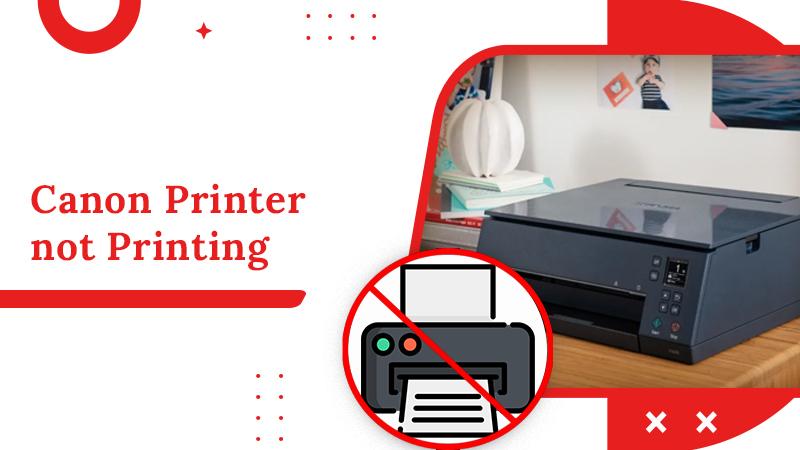
1. ពិនិត្យការតភ្ជាប់អ៊ីនធឺណិត ហើយ សាក Ping ទៅ IP Address របស់ម៉ាស៊ីន Print 2. ពិនិត្យការតភ្ជាប់បណ្តាញ(internet របស់ printer )នៅលើម៉ាស៊ីនបោះពុម្ព 3. ពិនិត្យថាប្រាកដមានដាក់ក្រដាសនៅក្នុងម៉ាស៊ីនហើយ (បើក្រដាសអស់ឬតិច ត្រូវបញ្ចូលក្រដាសបន្ថែម) 4. ពិនិត្យកម្រិតទឹកថ្នាំ/ទឹកម្សៅ (បើតិច នឹងមានការជូនដំណឹងលើអេក្រ
របៀបសំអាត file មិនសំខាន់ៗនៅក្នុង computer - Clean computer temp
ដោយ : Pich Yorn 7 months ago
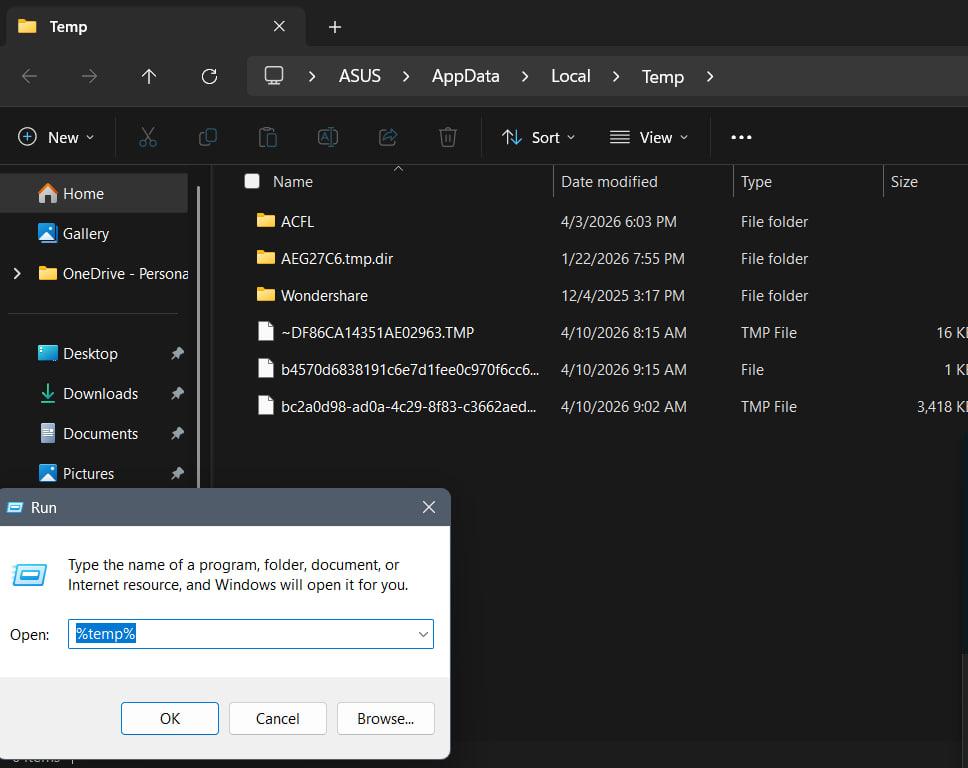
step 1: click Key Window + R => type %temp% => click Enter => Ctrl+A (setect all) => Delete => click ✅Do this for all current items => click continue or skip step 2: next type : temp Prefetch Note step 2 ធ្វើដូច step1 ដែរ
KhSearch Telegram Channel
Tips to earn more points:
Cancel Login
Tips for posting article:
Tips for posting experience:
There are many questions waiting your answers:
Login Register
Register Login
Please login to share your idea